iPhone and Apple Watch
Comfort
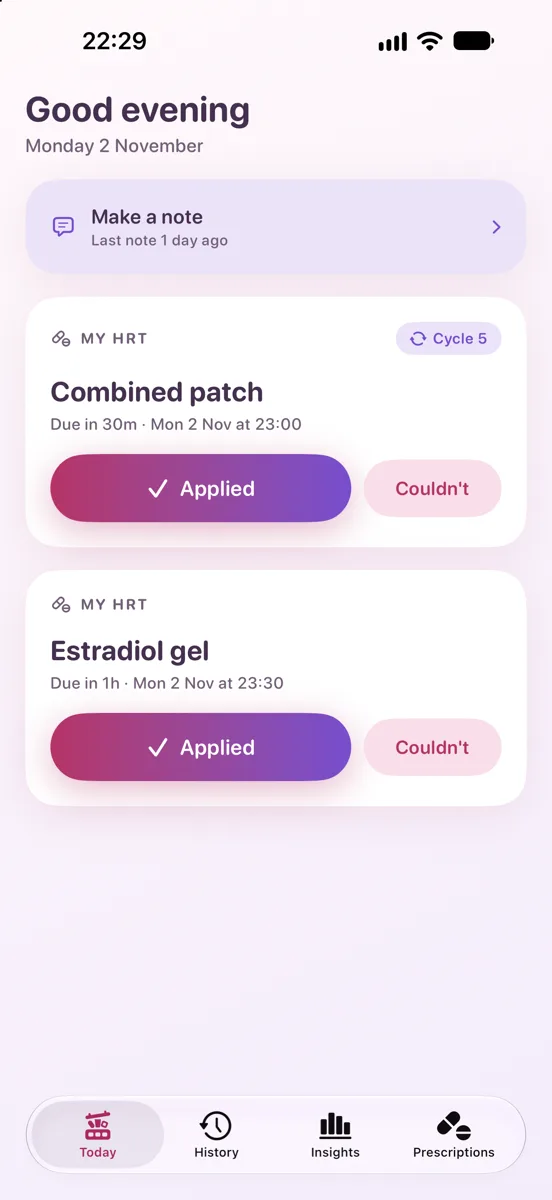
Track all your HRT prescriptions in one convenient app. Reminders when a dose is due, a record of what you actually took, a clear picture of how each medicine has been taken, and a PDF you can hand to your prescriber. Your data stays on your devices.
Free for 14 days, then £1.99 once. No subscription and no adverts. What you've recorded stays yours to see and share either way.
Requires iOS 17 or later. iPhone only; the Apple Watch app needs watchOS 10 or later.
What it does differently
Sequential HRT, properly
Many UK prescriptions change partway through the pack — one patch or tablet for the first fortnight, a different one for the second. Comfort treats that as one medicine in two parts, tells you which one you're on today, and says when it switches.
The schedule follows the pack, not your memory
Change a patch six hours late and the next one is still due when the pack says. Lateness is recorded as information, never as a correction — so a slip on Tuesday does not quietly drag the rest of the month with it.
See how each medicine has been taken
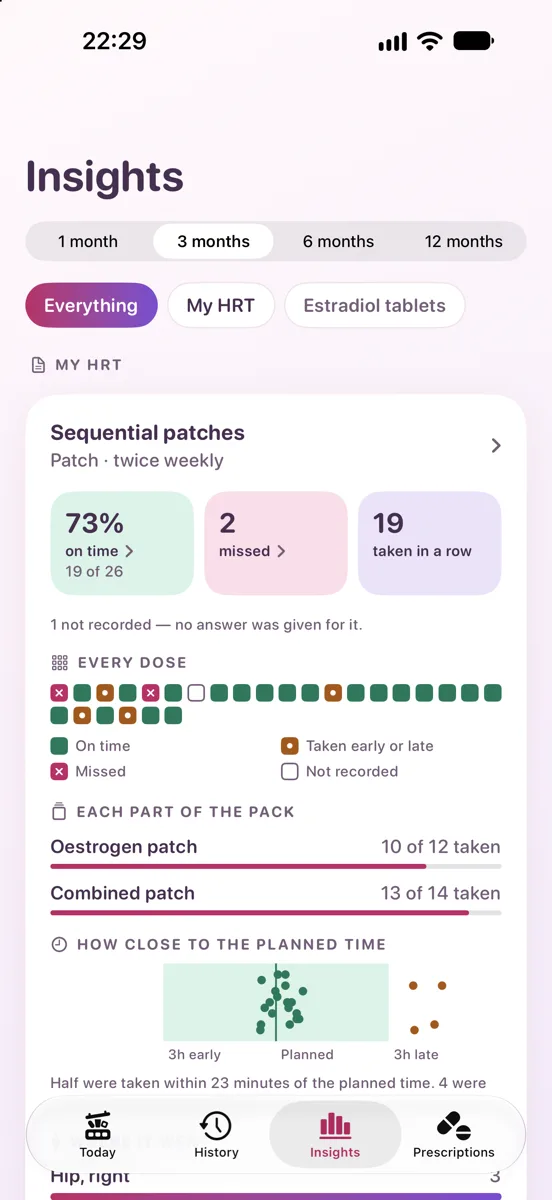
The Insights tab shows, for every medicine on every prescription, how many doses were on time, which were missed, how close to the planned time you took them and — for patches — which sites you have used and which has gone longest without. Counts and dates only: it never tells you what any of it means.
A record for your appointment
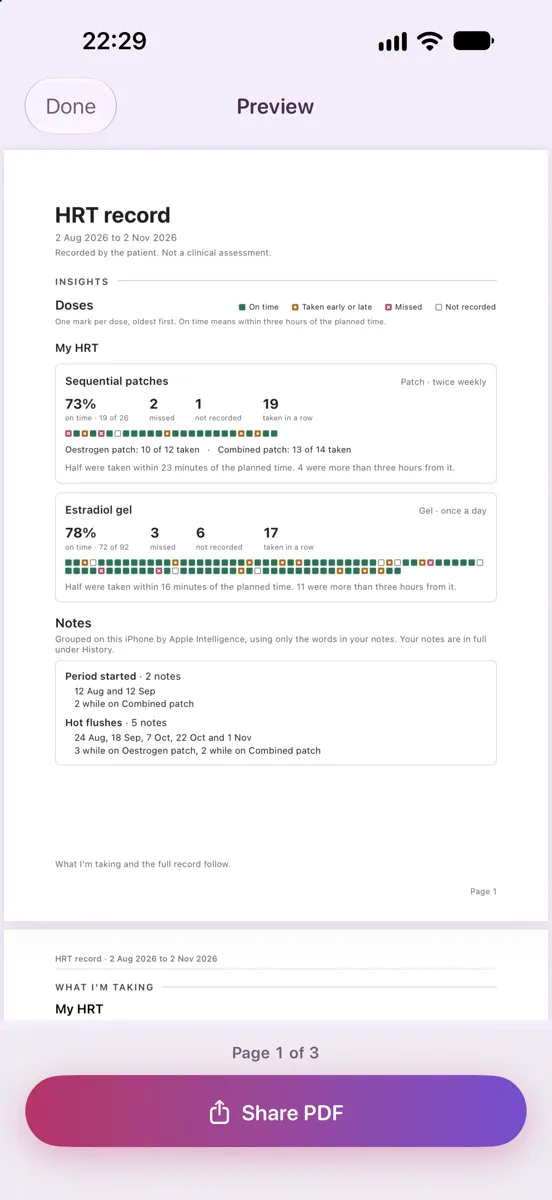
One button produces a PDF. Page one shows at a glance how each medicine was taken — every dose marked on time, early or late, missed or not recorded. Your notes follow in your own words, then the full record of every dose. Nothing is scored or interpreted: every figure is counted from what you entered.
“I couldn’t” is an answer
Away from home, ran out, felt unwell: you can record that you were unable to take a dose, and change your mind later. A dose you have not answered stays as “not recorded” rather than being counted against you.
Note anything
Your cycle, an appointment, how a day went — make a note whenever you like. Notes are dated, kept beside your doses in History, and included in your report exactly as you wrote them.
Private by design
No account, no sign-in, no analytics, no third-party SDKs, no network requests. Your record is on your iPhone, and in your iPhone backup if you have one. With the Apple Watch app, what's due and what you record pass between your iPhone and your own watch. We never see any of it.
It holds no medical knowledge — deliberately
The app stores the name you type and nothing else about any medicine. It will never tell you what to take, or what to do about a missed dose. It reminds you and records what happened.
A look at it
Built to be usable
Every label scales with Dynamic Type, including the largest accessibility sizes, and the layouts rearrange rather than clip when it does. Every colour pairing is measured against WCAG AA in both light and dark mode. Rows, buttons and status read as whole sentences under VoiceOver rather than as fragments.
Support and privacy
Questions about setting up a prescription, editing history or producing a report are answered on the support page. What the app stores, and what it does not, is set out in the privacy policy.
Anything else, email hello@aicloudplatform.co.uk.
Published by PC DevOps Consultants Limited, registered in England & Wales, company no. 09187004.